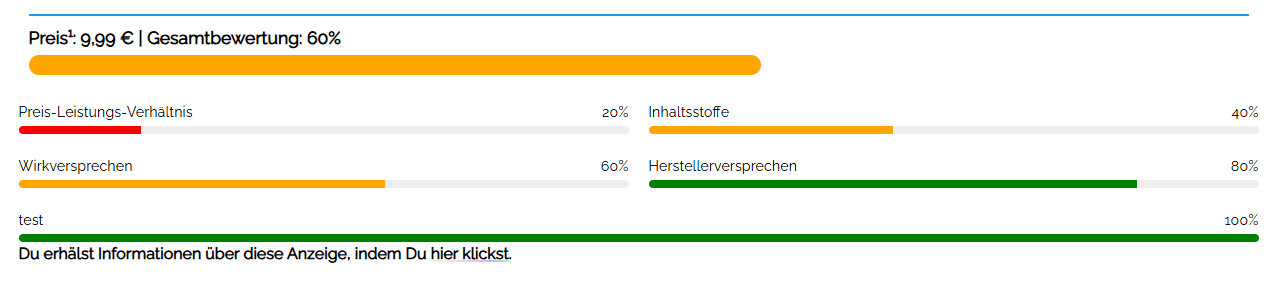
Hello,
you may have come here from our other post, which now redirects to this one. With this plugin, we had the goal, to create a simple, yet powerful plugin to showcase Reviews. Free, reliable, and safely.
We were deeply annoyed by all the Freemium-Versions of Review Plugins for WordPress, and especially their old coding, when we basically just needed a small, simple Plugin structure. So we made it ourself with the Help of Perplexity Pro, Google AI Studio, and Gemini 3.8.
You can download Version 4.1 Enhanced here for free.
To use this plugin, just download and install on your WordPress Installation. What this Plugin does:
- Adds meta boxes in the Post Editing Screen
- Fills the data into a shortcode, that appends the review to the end of the post
- Uses an intelligent filter to detect the SKUs structur (ISBN, ISBN-13, etc.)
- The Review Bar is colored, based on your rating. From 0 to 30 red, 31 to 50 orange, 51 to 75 yellow, 76 to 100 green.
- Create a Rich Snippet Schema Output
- Display multiple criteria for your review (f.ex. product design, ingredients, etc.) and rate each one
- Mathematically outputs the correct rating based on all criteria rating
- Uses the featured image as the display image
- Uses the post excerpt as the description
- Adds additional user information for Google
- Checkbox to disable the plugin on a per-post basis
To use on posts:
Fill the following fields on your Post Edit Screen:
Value: Rating in % (0-100)
Price: Accepts , and . / All currencies available
Brand: Add the Name of the Brand
SKU/EAN/IBAN: Enter the barcode
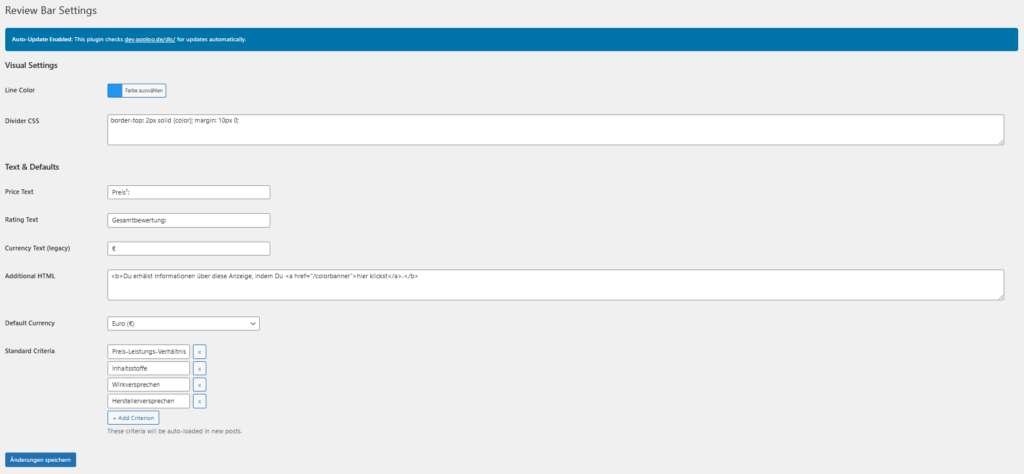
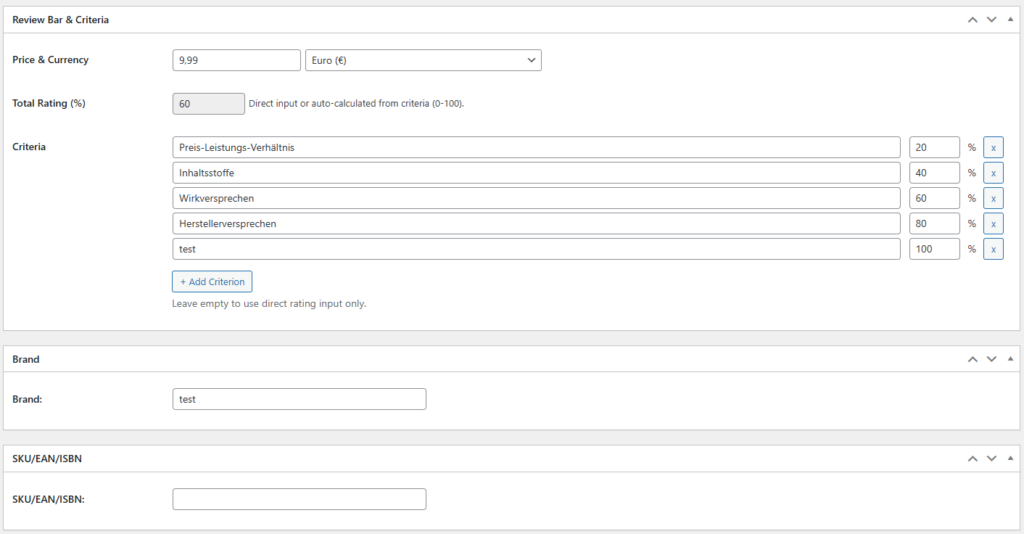
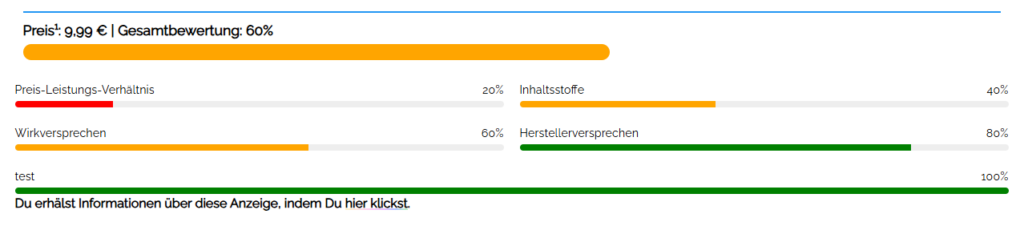
If everything is filled in, on your frontend it will show a valid schema output for a Review.
Output (Post Example):
<script type="application/ld+json">{
    "@context": "https:\/\/schema.org\/",
    "@type": "Product",
    "name": "Bulldog Original Bambus Rasierer",
    "description": "5-Klingen Nassrasierer von Bulldog Skincare mit Handstück aus nachhaltigem Bambus.",
    "url": "https:\/\/www.gooloo.de\/2024\/02\/bulldog-original-bambus-rasierer.html",
    "review": {
        "@type": "Review",
        "author": {
            "@type": "Organization",
            "name": "gooloo.de"
        },
        "datePublished": "2024-02-06",
        "reviewRating": {
            "@type": "Rating",
            "ratingValue": 7,
            "bestRating": 100,
            "worstRating": 0
        }
    },
    "aggregateRating": {
        "@type": "AggregateRating",
        "ratingValue": 7,
        "bestRating": 100,
        "worstRating": 0,
        "ratingCount": 1
    },
    "offers": {
        "@type": "Offer",
        "url": "https:\/\/www.gooloo.de\/2024\/02\/bulldog-original-bambus-rasierer.html",
        "price": 8.99,
        "priceCurrency": "EUR",
        "availability": "https:\/\/schema.org\/InStock"
    },
    "image": [
        "https:\/\/www.gooloo.de\/wp-content\/uploads\/2022\/06\/cropped-gooloo_g_font-jost.webp"
    ],
    "brand": {
        "@type": "Brand",
        "name": "Bulldog Skincare"
    },
    "sku": "5060144646347"
}</script>
== Changelog ==
= 14.1 =
- PHP 8.3 & PHP 8.4 Full Compatibility: resolved all implicit nullable parameter warnings and declared class properties.
- WordPress 7.1.2 compatibility audit and deprecation review.
- Automated database consolidation: merges
wp_reviewbar_dataintowp_review_bar_dataand removes redundant tables. - Added Post Type Selection System: enable review meta boxes, schema output, and frontend rendering on any public custom post type.
- Added JSON Import & Export system with nonces, capability authorization, and schema sanitization.
- Added "Uninstall Clean-Up" option with dedicated
uninstall.php. - Enhanced Schema.org JSON-LD output with complete product, review, aggregateRating, and offer properties.
- Complete i18n localization with de_DE, de_DE_formal, en_US, and en_GB PO/MO catalogs.
- Enhanced security audit: 100% prepared SQL, context-based output escaping, and strict input sanitization.
= 4.0.15 =
- New: Custom CSS / Wrapper Settings: A new input field under visual settings allows adding custom CSS (e.g. margin-left: auto; margin-right: auto; max-width: 1200px; for perfect centering).
- Optimized: Font-Family Integration: The hard-coded font assignment has been replaced by font-family: inherit. The review bar now automatically inherits the typographic design of your active theme layout.
- Optimized: Input security: The new Custom CSS field automatically filters and sanitizes all style directives using wp_strip_all_tags() to prevent XSS vulnerabilities.
- Fixed: Duplicate plugin installations resolved: Fixed an issue where WordPress created two instances of the plugin when uploading new versions. All internal URLs, slugs, and file headers now consistently point to the standardized path gooloo-review-bar-enhanced/gooloo-review-bar-enhanced.php.
= 4.0.9 - 4.0.14 =
- Added: The Plugin now has a "disable" function in the post editor. If you want to disable its functionality per post, simply uncheck the enable option in the Post Editor.
- Fixed: Functionalities that were deactivated during development have been completely restored in 4.0.14.
- Backwards Compatibility: All reviews in the past will stay visible. This function applies only to new posts, with "Enabled" set by default.
= 4.0.8 =
- Emergency Fix: Fixed a critical error in the Post Editor introduced in 4.0.7.
= 4.0.7 =
- Price display formatting and saving correctly in database as double digits after comma.
- Frontend price formatting improvements.
- Database price handling optimization.
= 4.0.6 =
- Fixed: Price formatting (27.90 instead of 27.9).
- Fixed: Empty settings on first install.
- Improved: Better data handling.
= 4.0.5 =
- Fixed: Critical error in merchant rich snippets / Google Search Console due to array handling when fetching images.
= 4.0.3 / 4.0.4 =
- Fixed: Review value field was not editable when standard categories were set but deleted in a single post.
- Updated: Plugin Information and first automatic update handler.
= 4.0.3 =
- Added: Schema.org JSON-LD Output with full Product + Review + AggregateRating structured data.
- Schema includes: Product name, description, URL, image, brand, SKU, price, currency, availability, and review rating.
- Automatic schema generation on single post pages via wp_head hook at priority 99.
- Fixed: Schema.org markup was restored and updated with support for 100+ currencies.
= 4.0.0 =
- Major Release: Complete Plugin Rewrite with migration to WordPress post meta system.
- Block Editor (Gutenberg) native support.
- Multi-currency system (100+ currencies).
- Database Structure: Posts now use wp_postmeta.
- Admin interface completely redesigned.
Shortcodes
This plugin supports a Toplist-Shortcode to display products or reviews based on price-scale and rating.
How to use
Add this shortcode anywhere in your post:
[reviewbar value="0-100" price="0-100"]
- value: The review rating (0 to 100).
- price: Adds a limit to the price span.
Updates
This Plugin supports automatic updates directly from our server.
You will see a new update available in your WordPress Dashboard or in the Plugins list, once an update has been rolled out.
Licenses
This Plugin was made with artificial intelligence powered by Perplexity AI.
You can use this Plugin under the GPL V2+ License.
Support
If you have any issues, please detail as much information as possible and send it to:
Note: This plugin is absolutely free. We will only push updates of outmost importance (security/critical errors).
Installation
- Download the plugin from our official site.
- Go to Plugins > Install Plugins in your WordPress Dashboard.
- Upload the de>.zip File.
Alternative: Install the unzipped folder to /wp-content/plugins via FTP.
Leave a Reply